
PhotoRobot FRAME - Light Setup
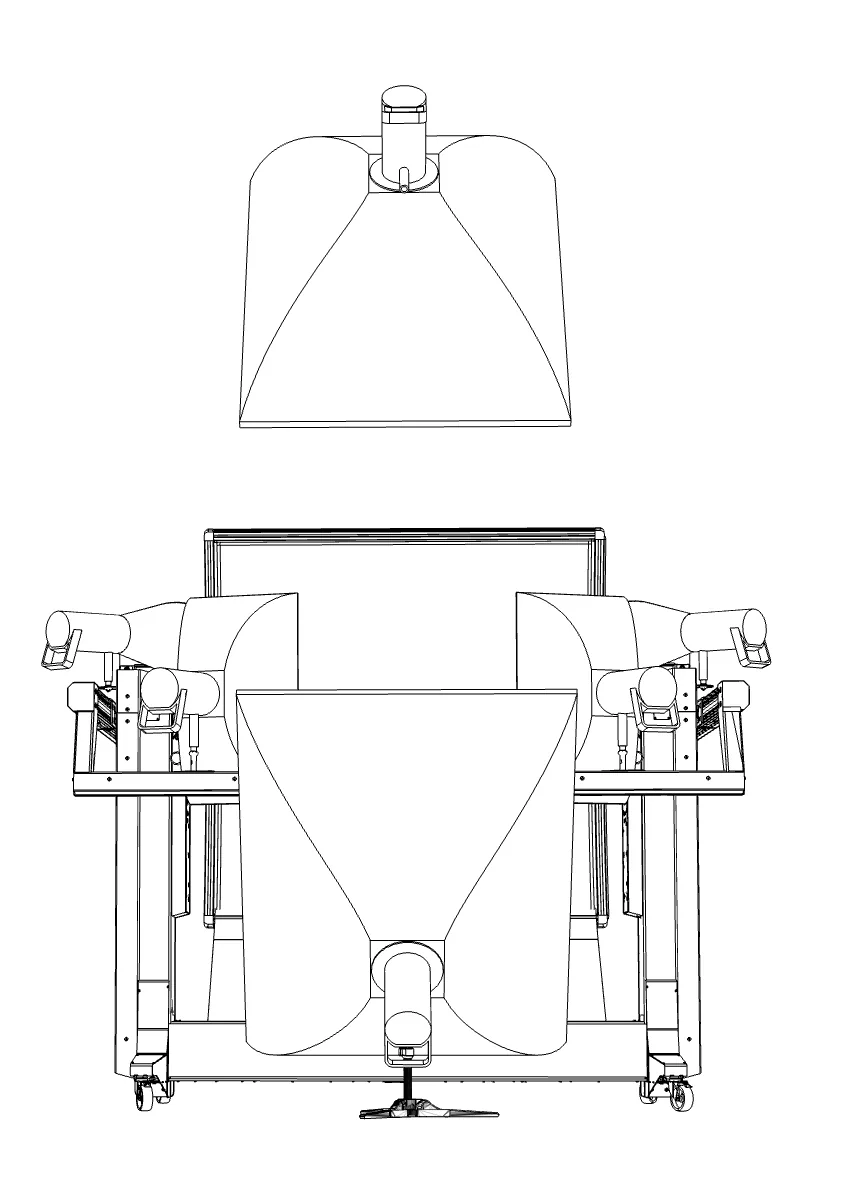
This manual describes where the six studio lights of the FRAME go and how to aim them. Mounting the arm lights mechanically (light holders, cables under the covers) is part of the FRAME Installation Manual, chapters 07, 08 and 12.
Before you start
- The FRAME is fully assembled; the camera and all four arm lights are mounted (Installation Manual, chapter 13 gate). The arm positions in this manual are set electrically in the Service GUI or Controls - never move the arm electrically with arm lights or the camera missing.
- Keep everyone out of the swing range of the arm while you move it.
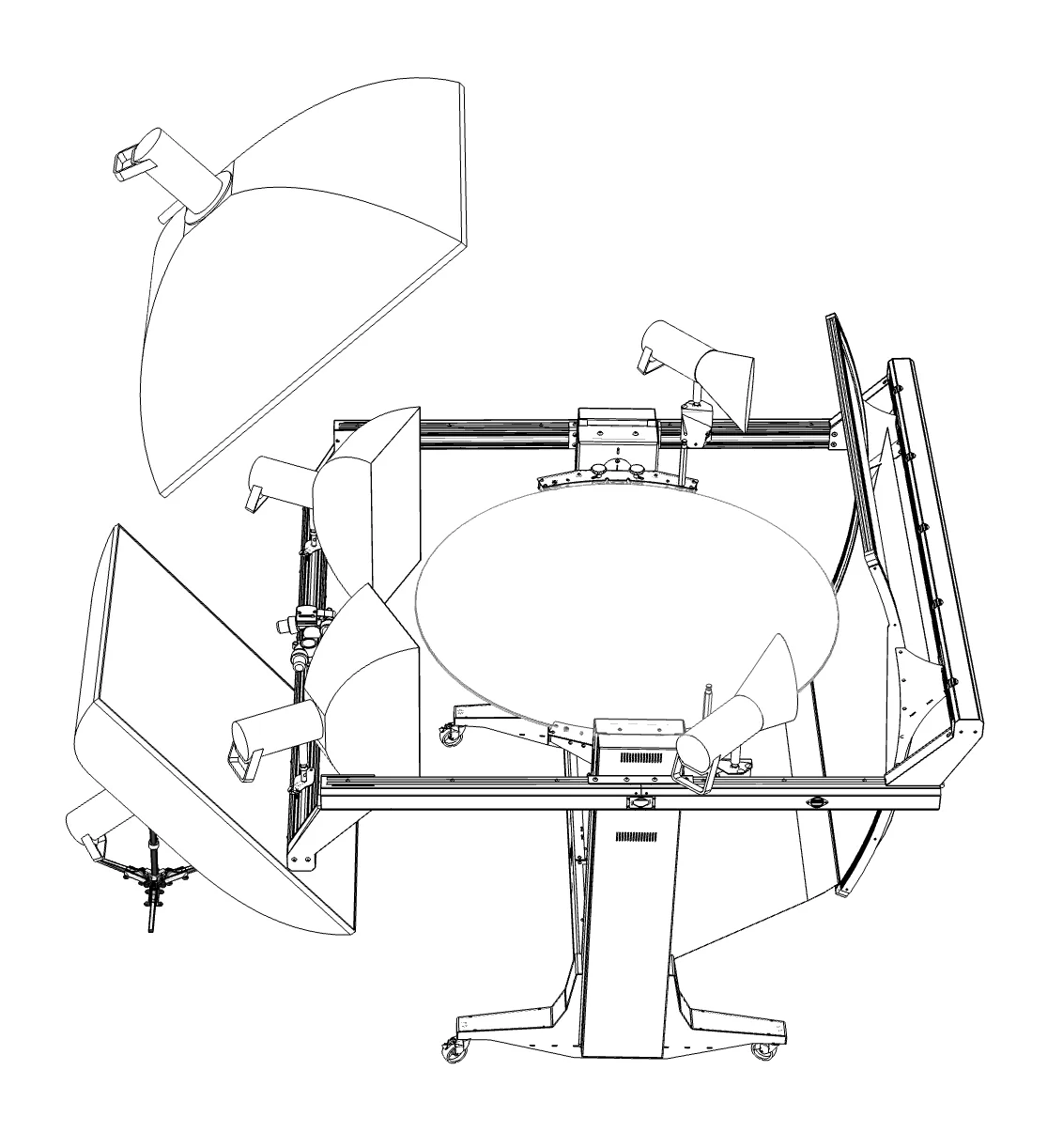
1 The six lights at a glance
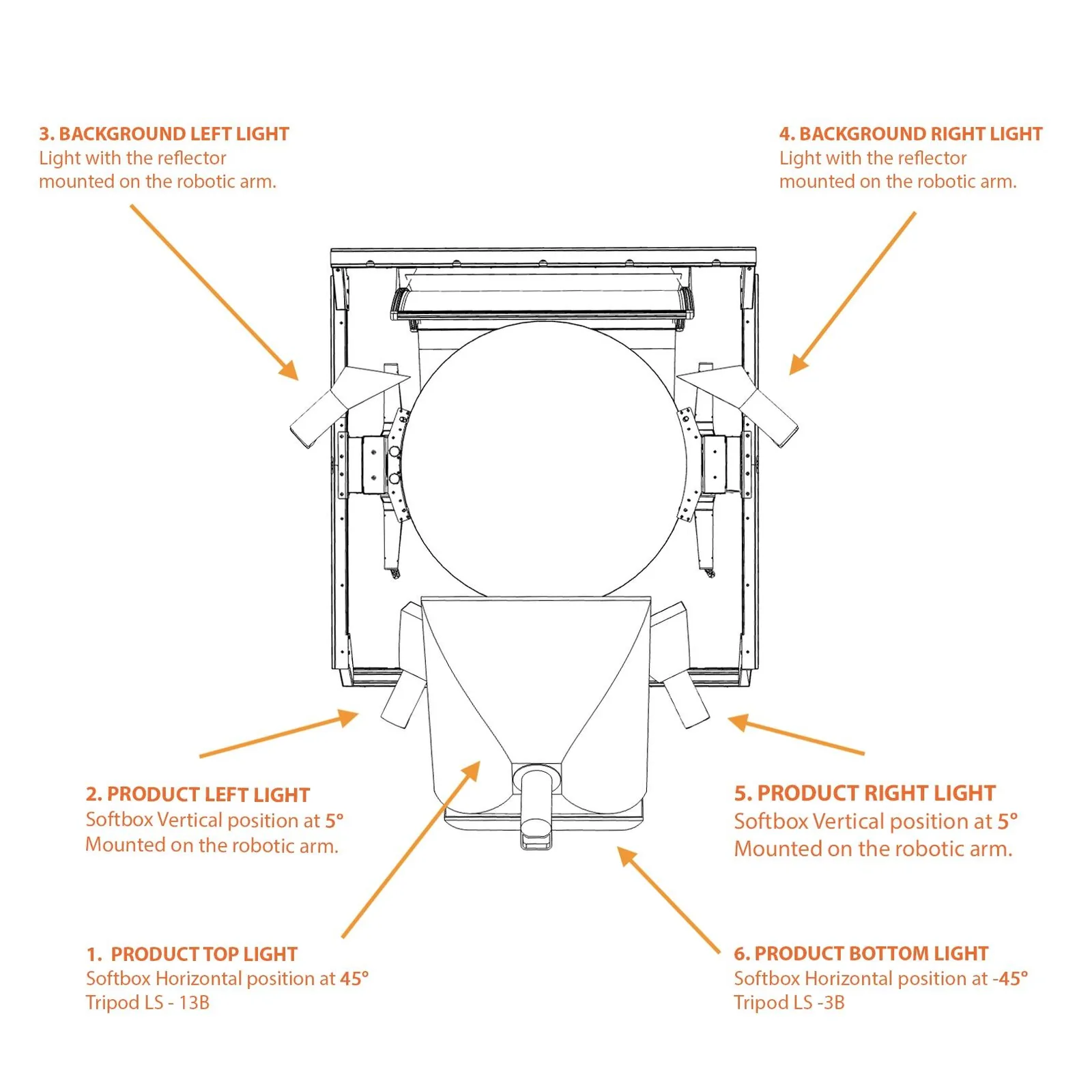
| # | Light | Modifier | Mounted on | Position and angle |
|---|---|---|---|---|
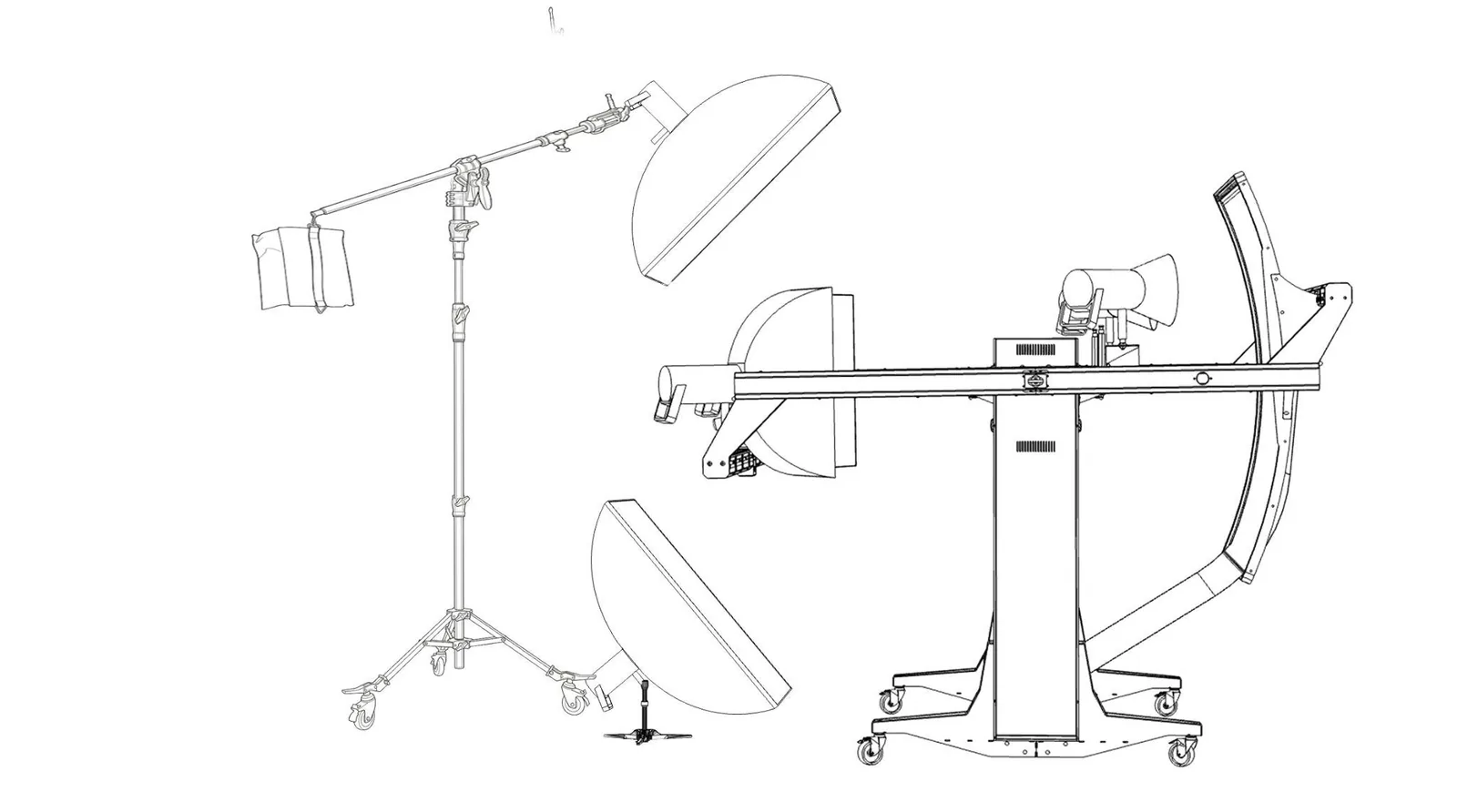
| 1 | Product top light | softbox 90 x 120 cm | boom stand LS-13B | over the arm, above the camera; softbox at 45 deg |
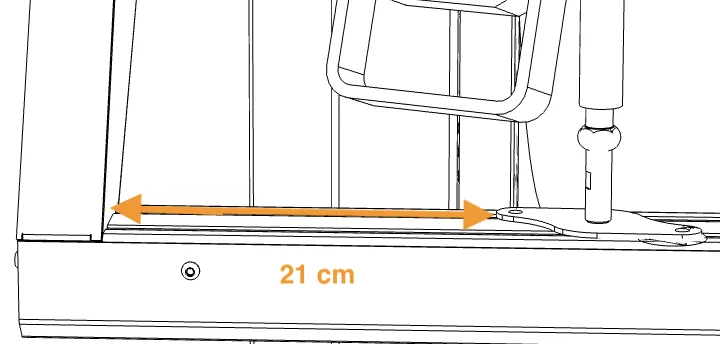
| 2 | Product left light | softbox, vertical | robotic arm (front left light holder) | 21 cm from the start of the arm to the light mount; softbox tilted 5 deg; aimed at the product |
| 3 | Background left light | reflector | robotic arm (rear boom, left) | 34.5 cm from the start of the background mount; aimed at the center of the background |
| 4 | Background right light | reflector | robotic arm (rear boom, right) | as light 3, mirrored |
| 5 | Product right light | softbox, vertical | robotic arm (front right light holder) | as light 2, mirrored |
| 6 | Product bottom light | softbox 90 x 120 cm | low floor stand LS-3B (small tripod, no center column) | on the floor in front of the machine, below the glass level, brought close to the arm; softbox at -45 deg |
Lights 2-5 travel with the arm and are part of its balance. Lights 1 and 6 stand on the floor in front of the machine (camera side).
2 Background lights (3 and 4)
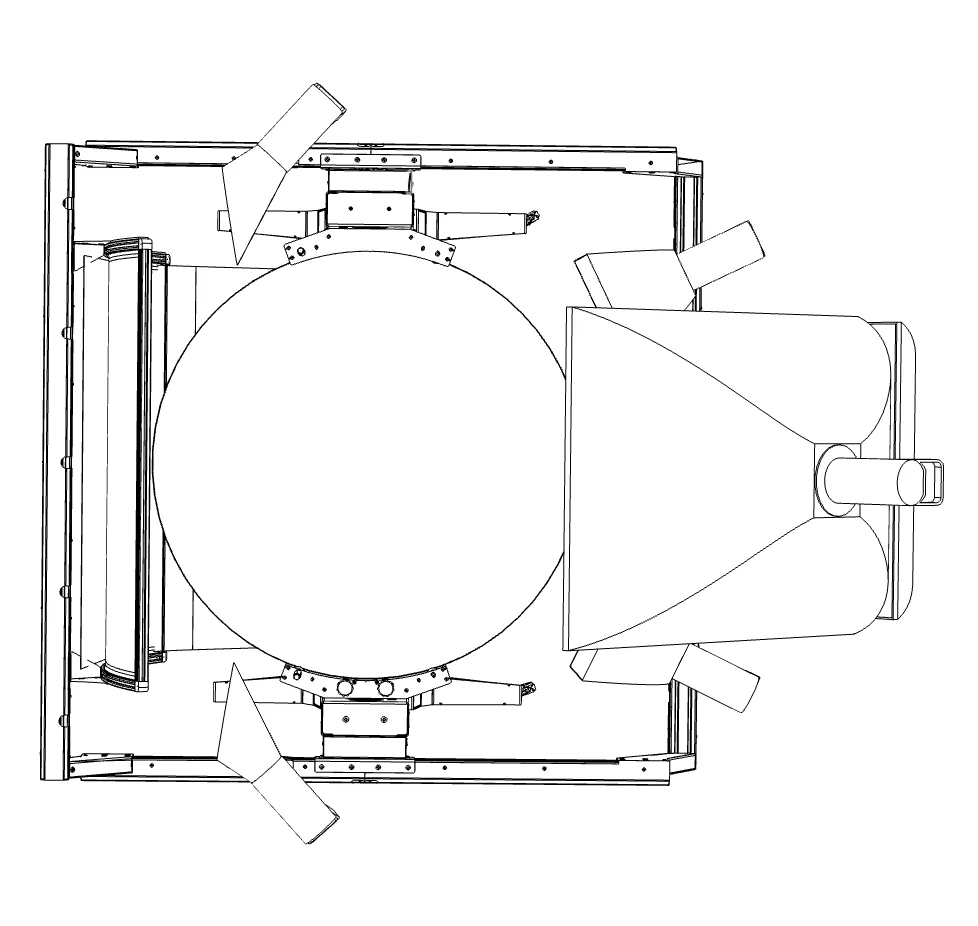
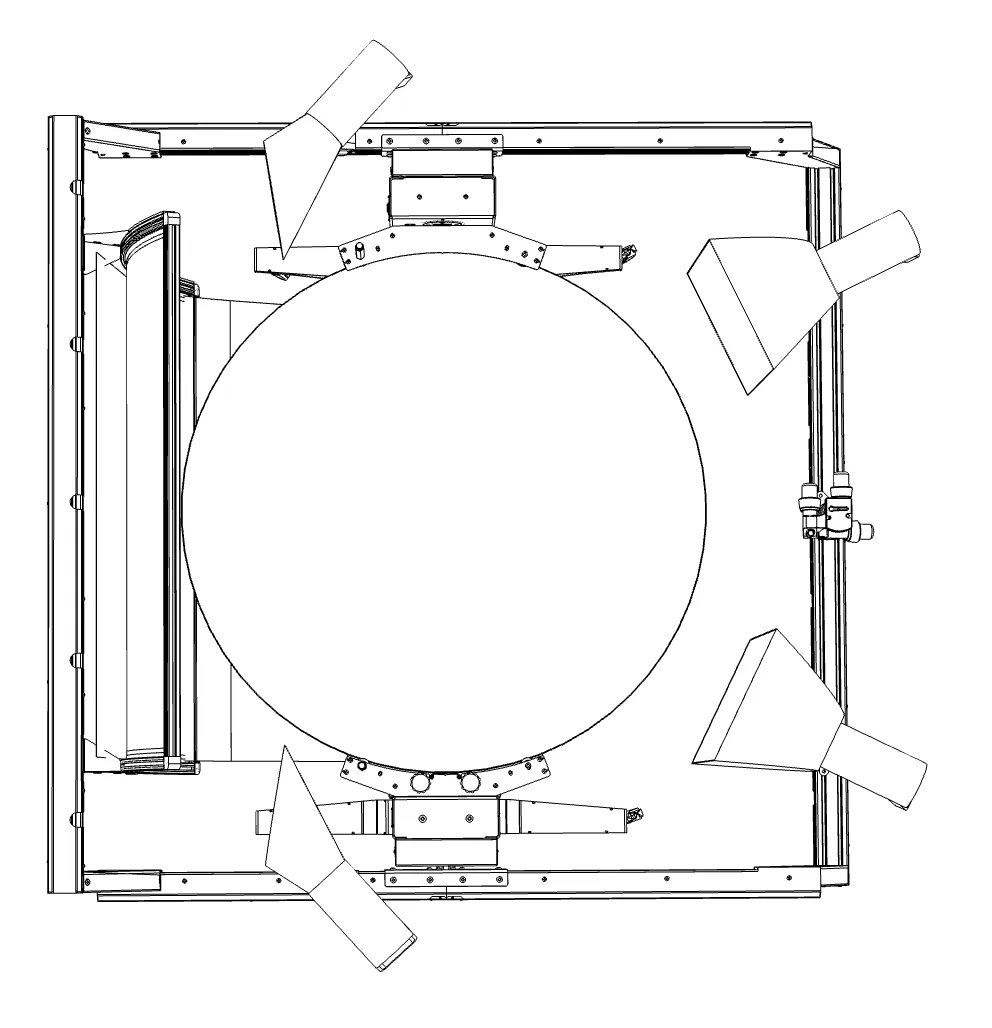
- Mount each background light on the rear boom so that the light mount is 34.5 cm from the start of the background mount.
- Aim both reflectors at the center of the background.
- Move the arm to about 80 deg. Fine-tune the tilt of each light so that the reflector dish does not hit the frame when the arm moves to 90 deg.
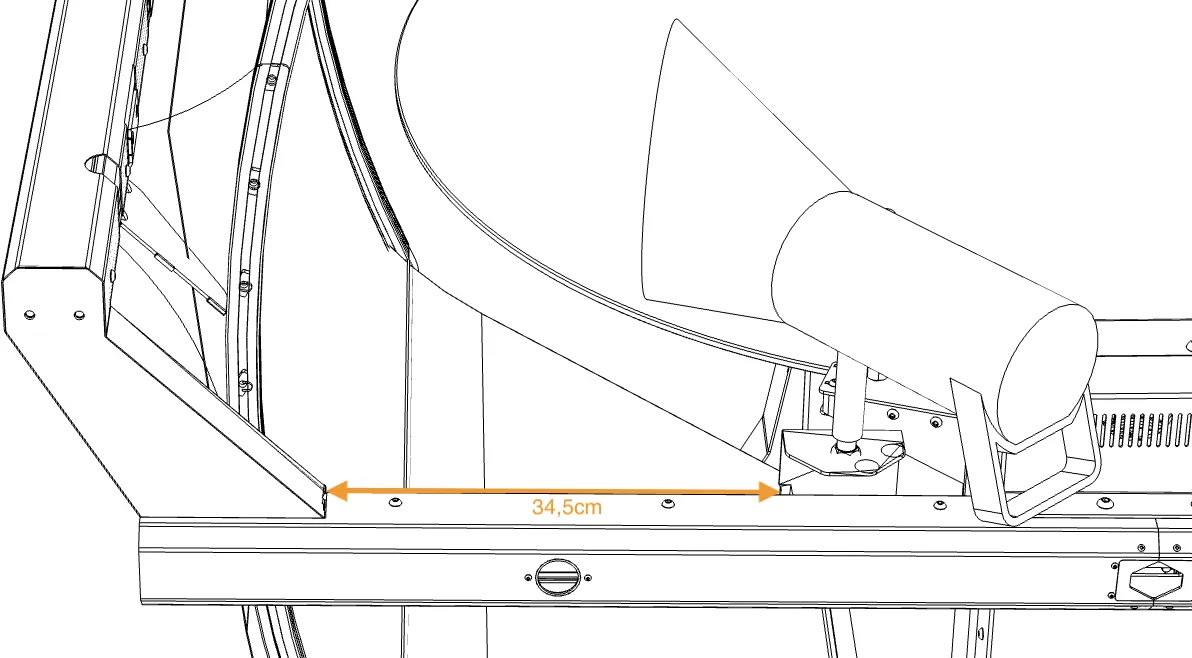
Checkpoint: at 90 deg there is a visible gap between each reflector and the frame; the background is evenly lit.
3 Front product lights (2 and 5)
- The softboxes are in a vertical position.
- Mount each light so that the light mount is 21 cm from the start of the arm.
- Tilt the softbox about 5 deg and aim the light at the product.
4 Top light (1) on the boom stand LS-13B
- Assemble the boom stand LS-13B with its boom and counterweight in front of the machine (it ships in its own carton on the pallet). Never load the boom without its counterweight.
- Mount the light with the 90 x 120 cm softbox on the end of the boom.
- Move the arm to about 70 deg.
- Bring the softbox close to the arm, above the camera.
5 Bottom light (6) on the floor stand LS-3B
- Set up the low floor stand LS-3B (small tripod without a center column) in front of the machine.
- Mount the light with the 90 x 120 cm softbox.
- Move the arm to -25 deg.
- Bring the softbox close to the arm, below the glass.
6 Collision check (mandatory)
When the top, bottom and background lights are in place:
- Move the arm slowly from 90 deg down to -60 deg and back.
- Watch every light, softbox, reflector and the boom. Nothing may touch the arm, the frame, the camera or the glass.
- If anything is close, stop, adjust, and repeat the full sweep.
Checkpoint: full sweep 90 deg to -60 deg with no contact; all six lights fire from PhotoRobot Controls.
7 Power for the lights
Spread the lights over separate circuits - no more than two strobes per circuit (Installation Manual, chapter 12). Light control: Broncolor Lights Management or the FOMEI manuals, depending on the light set.
PhotoRobot Academy
Learn it in the PhotoRobot Academy
This manual is the reference. The Academy teaches the topic step by step, with exercises and a certificate.
- Module B09Lighting SetupOperator Standard
- Module B10Lighting HardwareOperator Standard
- Module SP3Capture Discipline for 3D Reconstruction3D Modeling Specialist