
Weighing & Dimensioning
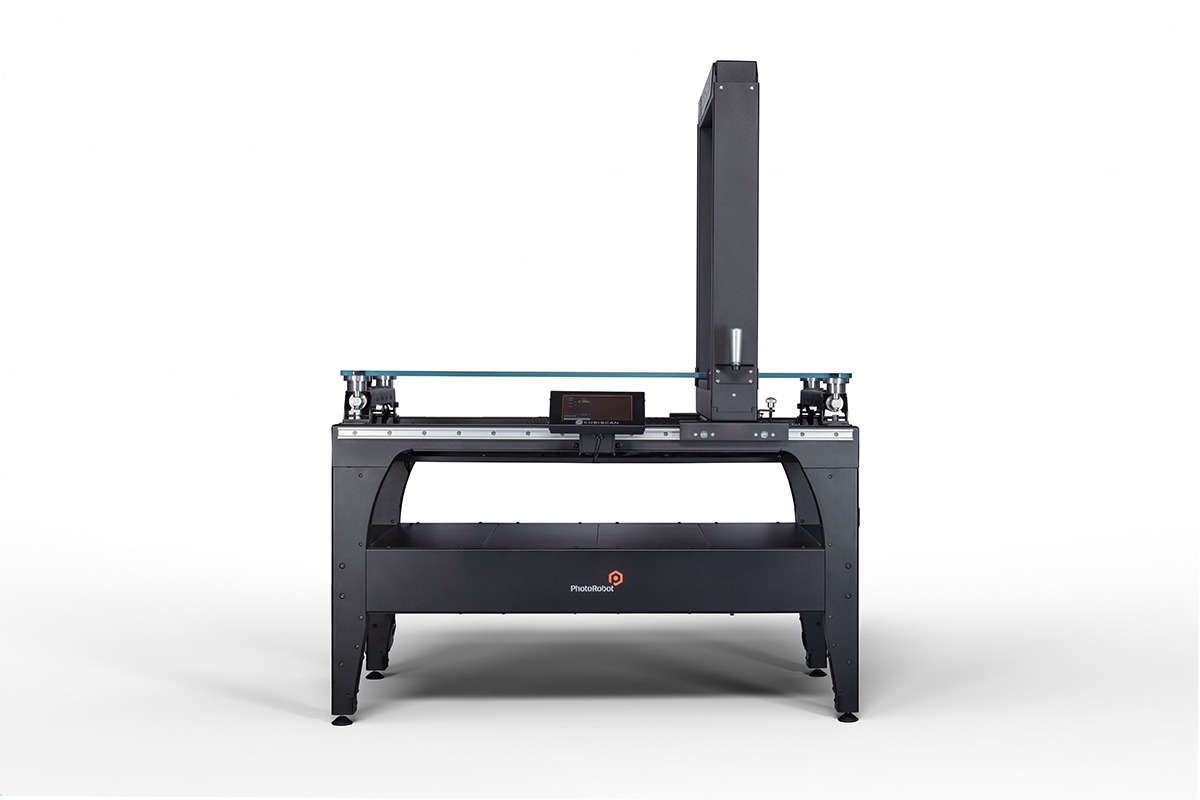
CubiScan 325 Dimensioning System
Weigh and Measure Every Product Before the Shoot
The CubiScan 325 measures the length, width, and height of an item with an infrared gate and weighs it on load cells in 3 to 7 seconds. The values flow over the LAN into PhotoRobot Controls, where they become part of the product record and its data export, and the robots use them to set up each shot automatically.
- Measuring Range
- 90 × 60 × 60 cm (36 × 24 × 24 in)
- Weighing Range
- Up to 25 kg (50 lb)
- Measurement Time
- 3–7 s
- Connection
- LAN
Overview
Why the CubiScan 325
Infrared Gate and Four Load Cells
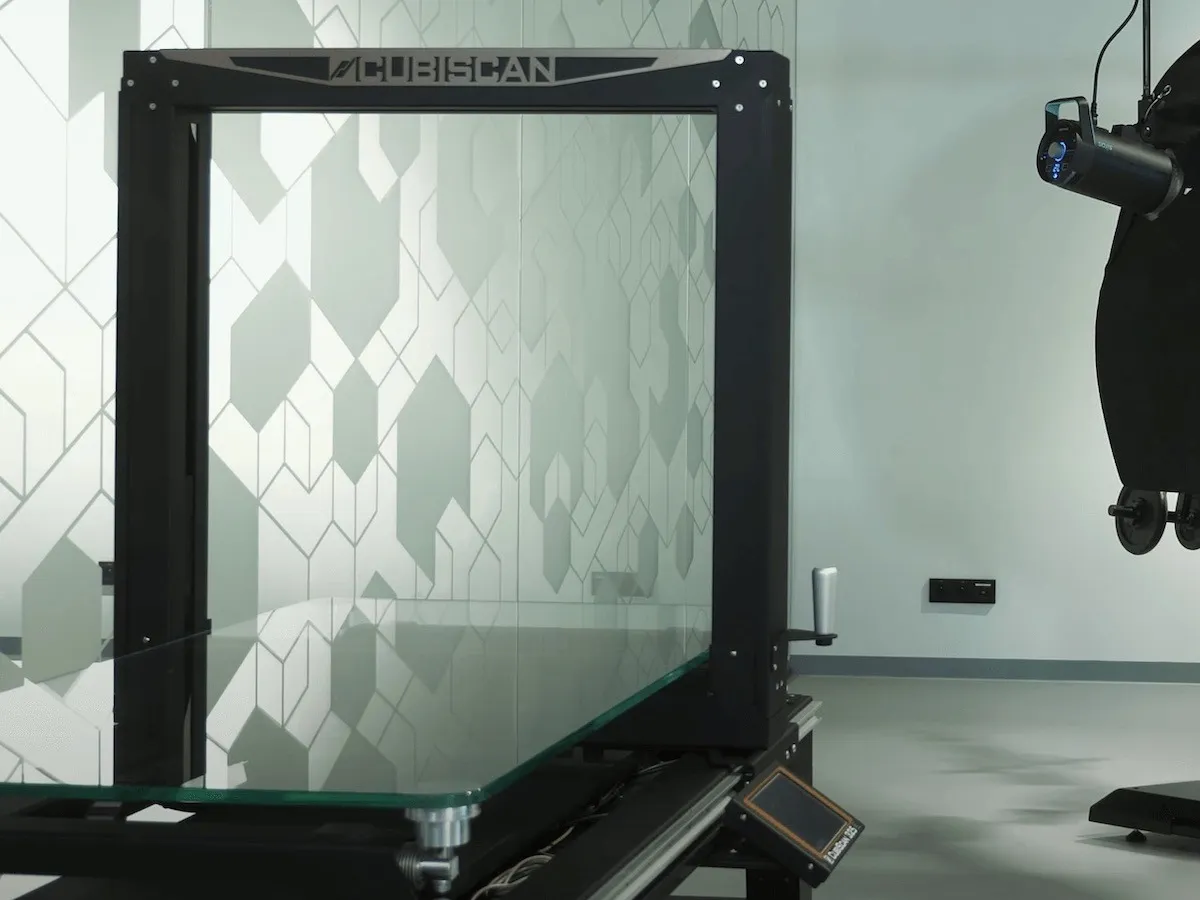
The item lies on a glass platform. You move the infrared gate across it: the gate's width array reads length and width, its height boards read height, and four load cells under the platform weigh the item. The touchscreen shows the result with a top view and a side view.
Connected Over the LAN
The CubiScan 325 has an Ethernet port (plus serial and USB). Set a static IP address, subnet, gateway, and port, or switch on DHCP, under MENU → CONFIGURE → Ethernet. PhotoRobot Controls then lists the device by name and MAC address.
Metric or Imperial Units
Under MENU → CONFIGURE → Units, choose inches, centimeters, or millimeters for dimensions and pounds or kilograms for weight. The Scale Increment setting picks the weighing resolution.
Robots Set Themselves Up
PhotoRobot Controls uses the measured size and weight to set up the robots for each item, for example to raise the camera to the vertical center of the product before a multi-row spin. Nobody has to coordinate the settings by hand.
Data in Every Export
Dimensions and weight are stored with the item in PhotoRobot Controls and travel with its images in the product data export, so your PIM, DAM, ERP, logistics, and e-commerce systems receive them without extra work.
The Model PhotoRobot Recommends
PhotoRobot supports CubiScan devices at the data-link level and recommends the CubiScan 325 for its parameters and ease of use. PhotoRobot is an authorized representative of Cubiscan.
Workflow
How CubiScan 325 Works
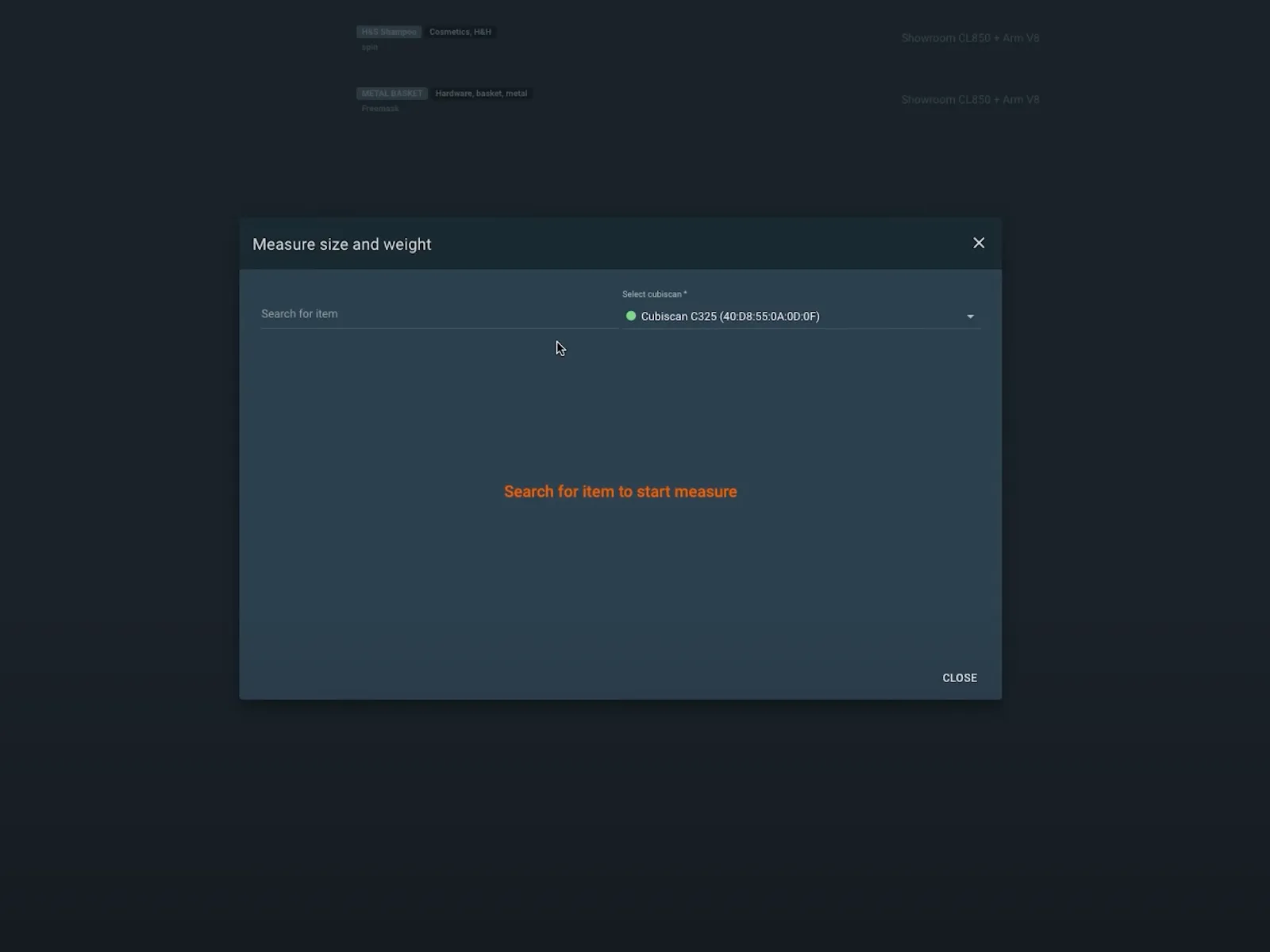
- Identify the item. Scan the CubiScan SmartCode and then the product barcode, or open CubiScan measure from the PhotoRobot Controls menu and search for the item.
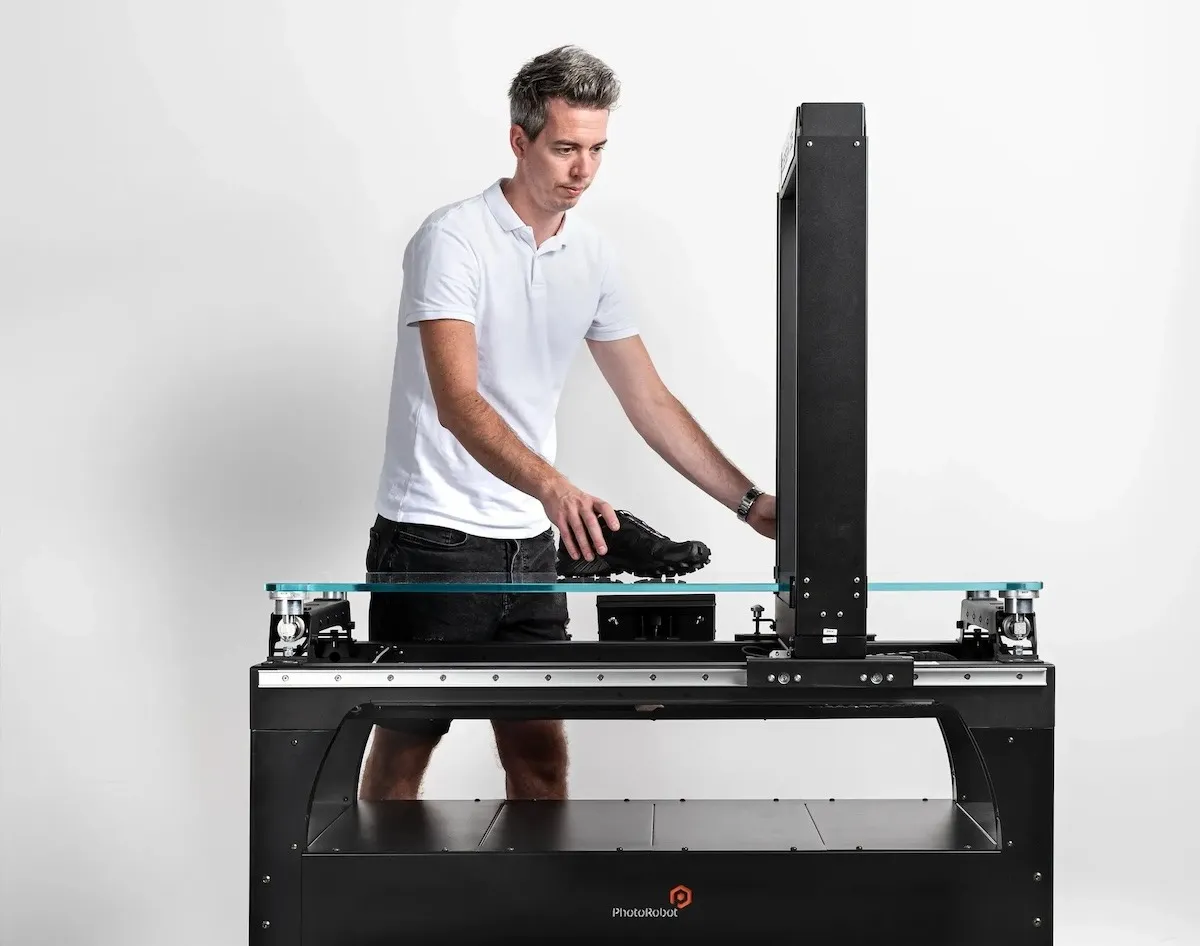
- Place it on the glass. Lay the item on the glass platform; the load cells weigh it.
- Move the gate. Slide the infrared gate across the item at a steady pace. Length, width, and height are measured in 3 to 7 seconds; moving the gate too fast shows a gate speed error.
- Data reaches PhotoRobot Controls. Dimensions and weight go over the LAN into PhotoRobot Controls and are saved with the item.
- The robots adjust automatically. When the item reaches the photography station, PhotoRobot Controls uses its measurements to set up the robots, such as the camera height, with no manual coordination.
- Export to your systems. The measurements are part of the item's data export alongside the images, ready for your downstream systems.
Tech specs
Technical Specifications
| Length | 0.2–90.0 cm (0.10–36.00 in) |
|---|---|
| Width | 0.2–60.0 cm (0.10–24.00 in) |
| Height | 0.2–60.0 cm (0.10–24.00 in) |
| Dimension Increment | 0.1 cm (0.05 in) |
| Weighing Range | 0.002–25 kg (0.005–50 lb) |
| Weight Increment | 0.002 kg (0.005 lb); selectable 0.002, 0.005, or 0.01 kg (0.005, 0.01, or 0.02 lb) |
| Measurement Time | 3–7 s |
| Items | Opaque objects |
| Gate Calibration Tolerance | ±0.1 cm (±0.05 in) |
|---|---|
| Scale Calibration Tolerance | ±0.005 kg (±0.010 lb) |
| Dimensions | Infrared measuring gate moved across the item |
|---|---|
| Weight | Four load cells |
| Ultrasonic Sensors | None |
| Connection to PhotoRobot Controls | LAN |
|---|---|
| Ports | Ethernet (1), serial (1), USB (1) |
| Network Setup | Static IP or DHCP (MENU → CONFIGURE → Ethernet) |
| Units | in, cm, mm, lb, kg (MENU → CONFIGURE → Units) |
| Supply Voltage | 100–240 VAC, 50–60 Hz |
|---|---|
| Operating Temperature | −10 to 40 °C (14 to 104 °F) |
| Humidity | 0–90%, non-condensing |
| Conformity | CE |
| Dimensions (L × W × H) | 1,250 × 970 × 970 mm (49 × 38 × 38 in) |
|---|---|
| Weight | 78.5 kg (173 lb) |
Values from the manufacturer's CubiScan 325 Operations and Technical Manual (Quantronix, Inc.) and the Cubiscan product sheet. The manual gives the increments and calibration tolerances above; it does not state a single accuracy figure.
Turnkey delivery
What Each Kit Contains
- CubiScan 325 dimensioning system
- Integration with PhotoRobot Controls
Options
Studio Companions
Supporting Table
PhotoRobot's own table for the CubiScan 325: an ergonomic working height and shelves for boxes and products waiting for or after measurement.
Robotic Arm
Takes the measured height and raises the camera to the vertical center of the product before capture.
SmartCodes and Barcode Readers
Scan one code to start a measurement and the product barcode to assign it, with no typing.
Production Line
Weighing and measuring is the Scan & Measure step at the start of the PhotoRobot production line.
Software
Compatible Software
PhotoRobot Controls
Receives dimensions and weight over the LAN, stores them with the item, and sets up the robots from them.
Item Export
Sends the measurements with the images to your DAM, PIM, ERP, or e-shop.
FAQ
Frequently Asked Questions
What Does the CubiScan 325 Measure?
Length, width, and height of opaque items up to 90 × 60 × 60 cm (36 × 24 × 24 in), in 0.1 cm (0.05 in) increments, and weight up to 25 kg (50 lb), in increments from 0.002 kg (0.005 lb). One measurement takes 3 to 7 seconds.
How Accurate Is the CubiScan 325?
The manufacturer specifies the increments: 0.1 cm (0.05 in) for dimensions and 0.002 kg (0.005 lb) for weight, and checks calibration to ±0.1 cm (±0.05 in) on the gate and ±0.005 kg (±0.010 lb) on the scale. It does not publish a single accuracy figure.
How Does the CubiScan 325 Connect to PhotoRobot Controls?
Over the LAN. Connect its Ethernet port to the studio network and set a static IP address or DHCP under MENU → CONFIGURE → Ethernet. PhotoRobot Controls then shows the device by name and MAC address in the Measure Size and Weight dialog.
Can It Show Metric or Imperial Units?
Yes. Under MENU → CONFIGURE → Units, choose inches, centimeters, or millimeters for dimensions and pounds or kilograms for weight; Scale Increment sets the weighing resolution.
What Happens With the Measurements?
They are saved with the item in PhotoRobot Controls. The robots use them to set up each shot automatically, for example the camera height, and the values are part of the item's data export to your downstream systems.
Does PhotoRobot Supply a Table for It?
Yes. The CubiScan 325 can stand on a desk or the floor, and PhotoRobot also makes a supporting table with an ergonomic working height and shelves for products waiting for or after measurement.
Which CubiScan Models Does PhotoRobot Support?
PhotoRobot supports CubiScan products at the data-link level and recommends the CubiScan 325. Compared with the older CubiScan 125, it has better parameters and is easier to use, and it does without ultrasonic sensors.
How Do I Request a Quote?
Contact our sales team. We add the CubiScan 325, the supporting table, and the PhotoRobot Controls integration to the configuration of your studio and send you a quote.
Videos
Related Videos

PhotoRobot Academy
Learn It at PhotoRobot Academy
Role-based training and certification for operators, studio managers, integrators, and specialists.
Explore PhotoRobot AcademyTechnical support
Need Help? Technical Support
You are not on your own. When something does not work as expected, PhotoRobot technical support helps you get back to work.
Add Weighing and Measuring to Your Studio
Tell us what you photograph and how many products a day. We add the CubiScan 325 to your PhotoRobot workstation, connect it to PhotoRobot Controls, and send you a quote.