Lighting · Overview
Studio Lighting for PhotoRobot
We recommend ordering your PhotoRobot machine together with a lighting kit. PhotoRobot has tuned lighting sets for specific machine types and specific kinds of work, and the recommended lights work seamlessly with the PhotoRobot Controls control system, so you get a complete turnkey workstation that works as one. You pick one kind of light per machine, and the number of lights in the kit depends on the machine. This page compares the kinds of light we deliver and helps you choose the right one for your work.
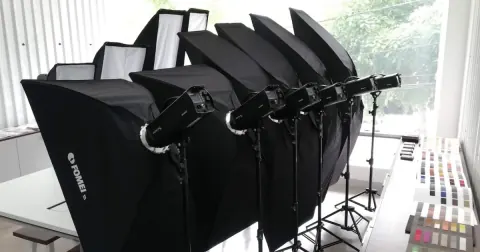
One lighting kit per machine. Strobes and LED lights can also be combined as individual lights, for example Broncolor strobes in front and FOMEI LED panels at the back. See Hybrid Lighting.
Lighting Kits at a Glance
Five kinds of light, one per machine, plus a ceiling system for hanging the lights above the set.
-
Strobe$$$
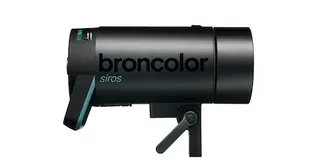
Broncolor Strobes
The flagship: the fastest flash, full software control and the same color balance at every power level.
Explore Broncolor Strobes -
Strobe$$
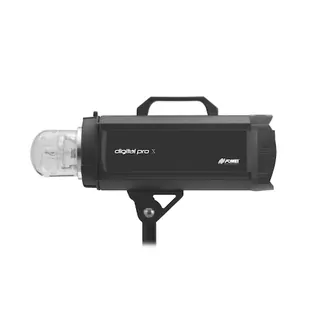
FOMEI Strobes
Top studio flash at a significantly better price: roughly half of Broncolor.
Explore FOMEI Strobes -
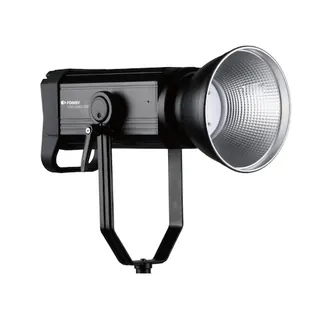
Continuous LED$
FOMEI Low LED
Everyday product photography at a very pleasant price, best in start-stop mode.
Explore FOMEI Low LED -
Continuous LED$$
FOMEI High LED
High-output continuous light for video and studios without strobe flashes.
Explore FOMEI High LED -
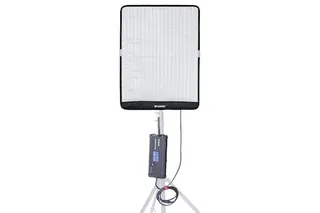
LED panel$$
FOMEI LED Roll Panels
Special panels for lighting the background evenly, without a hot spot in the middle.
Explore FOMEI LED Roll Panels -
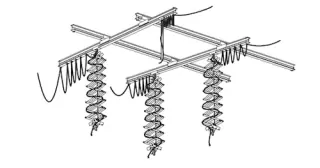
Light mounting$$
FOMEI Ceiling System
For machines without their own light holders: the lights hang on pantographs and no cables lie on the floor.
Explore FOMEI Ceiling System
Compare the Lights
Speed, endurance, control and color at a glance. The ceiling system is a way to mount lights, so it is not in the table.
| Property | Broncolor Strobes | FOMEI Strobes | FOMEI Low LED | FOMEI High LED | FOMEI LED Roll Panels |
|---|---|---|---|---|---|
| Type of light | Strobe (flash) | Strobe (flash) | Continuous LED | Continuous LED, high output | Continuous LED panel |
| Speed | Very fast: 36 stops in 20 seconds is normal | Top studio flash, below Broncolor | Start-stop; non-stop for small items only | Continuous light, no flash freeze | – |
| Endurance | Does not tire: e.g. 750 shots in one go for a 3D model | Top service unless you need extreme values | – | – | – |
| Control from PhotoRobot | Full software control by PhotoRobot Controls | Supported (Digital Pro X series) | DMX | DMX | DMX |
| Same color at every intensity | Yes, identical in all color channels | Can differ slightly | Can differ slightly | Can differ slightly | Can differ slightly |
| Video / continuous light | No | No | Yes | Yes, the choice for video | Yes |
| Typical use | High-speed 360° and 3D runs, glass and solid objects | Professional flash work without extreme demands | Everyday photography on a budget | Video; studios without strobe flashes | Even background lighting |
| Relative price | $$$ | $$ | $ | $$ | $$ |
- Relative price as PhotoRobot describes it: FOMEI strobes cost roughly half of Broncolor; a whole FOMEI Low LED kit costs about as much as one FOMEI strobe; FOMEI High LED costs about the same as strobes, or slightly more. Per light, FOMEI LED Roll Panels cost about the same as FOMEI strobes. The FOMEI Ceiling System (rails with special holders and installation) costs less than a FOMEI strobe kit for one machine. Exact prices for your machine are in the configurator.
- “Can differ slightly”: with manufacturers other than Broncolor, the ratio of the color channels can differ slightly at different intensities.
- “–” means PhotoRobot does not state a value for this light.
Which Light for Which Job
Start from the work you need to do.
- Fast 360° spins and 3D models with hundreds of shots in one goBroncolor Strobes
- Switching between glass and solid, or glossy and matte products, with the same color balanceBroncolor Strobes
- Professional flash quality without extreme demands, at a better priceFOMEI Strobes
- Everyday product photography on a budget, in start-stop mode or non-stop for small itemsFOMEI Low LED
- Video, including multi-axis video with a free-standing robotic arm and rotational video on the FRAMEFOMEI High LED
- Operators should not be exposed to strobe flashesFOMEI High LED
- An evenly lit background without a hot spot in the middleFOMEI LED Roll Panels
- Lights that are not mounted on the machine, with no cables on the floorFOMEI Ceiling System
Hybrid Lighting: Strobes and LED Together
A lighting kit contains one kind of light, but individual lights can be combined. A typical example is Broncolor strobes in front and FOMEI LED panels at the back. Hybrid lighting pays off when one workstation has to handle different kinds of work, and it needs a little more care than a single kind of light.
When It Makes Sense
- Stills and video on the same workstation: strobes freeze the product with a short, powerful flash, while video, including multi-axis video, needs continuous LED light.
- Strobes on the product and FOMEI LED Roll Panels on the background: the panels spread their diodes over a large area, so the background is lit evenly, without a hot spot in the middle.
- Combined workflows where the same product needs both images and a video clip, without rebuilding the lighting between the two.
- Continuous light where operators should not work under strobe flashes all the time, with strobes kept for the shots that need them.
What to Watch
- Color temperature: set the LED lights to the same color temperature as the strobes where the light allows it, or keep each kind of light on its own part of the scene, such as the background. Two colors of light in one image cannot be fixed with a single white balance.
- Mixed exposure: the share of the flash depends on its power and the aperture, while the share of continuous LED light also depends on the shutter speed. Change the shutter speed and the balance between the two changes.
- Motion: during non-stop rotation, the flash freezes the product, but continuous light recorded over the whole exposure can add a faint blur. Keep the LED share on a moving product low, or shoot in start-stop mode.
- Sync and flicker: strobes must be synchronized with the camera shutter and are limited by the flash sync speed of the camera. LED lights need no sync, but check the images and the video for flicker at the shutter speed and frame rate you use.
- Consistency: with manufacturers other than Broncolor, the ratio of the color channels can differ slightly at different intensities. Test the mix at the intensities you will actually use.
Lighting Kits by Machine
How many lights each kit has on each machine. “–” means the kit is not offered for that machine.
| Machine | Broncolor Strobes | FOMEI Strobes | FOMEI Low LED | FOMEI High LED | FOMEI LED Roll Panels |
|---|---|---|---|---|---|
| CASE 850 | 3 / 4 | 3 / 4 | 4 / 5 | 4 / 5 | 4 / 8 |
| C850 | 4 / 5 | 4 / 5 | 4 / 5 | 4 / 5 | 4 / 8 |
| C1300 | 4 / 5 | 4 / 5 | 4 / 5 | 4 / 5 | 8 |
| CL850 | 4 | 4 / 5 | 4 / 5 | 4 / 5 | 4 / 5 |
| CL1300 | 4 / 5 | 4 / 5 | 4 / 5 | 4 / 5 | 4 / 5 |
| CUBE | 4 / 5 | 4 / 5 | 4 / 5 | 4 / 5 | 8 |
| Tent / Cube Table | 4 / 5 | 4 / 5 | 4 / 5 | 4 / 5 | 4 / 5 |
| Flat Lay Glass Table | 3 / 4 | 3 / 4 | 3 / 4 | 3 / 4 | 3 / 4 |
| HD Robotic Table | 4 / 5 | 4 / 5 | 4 / 5 | 4 / 5 | 4 / 5 |
| FRAME | 6 | 6 | 6 | 6 | – |
| Turning Platform | 5 / 8 | 5 / 8 | 5 / 8 | 5 / 8 | 5 / 8 |
| Virtual Catwalk | – | – | – | 8 | 16 |
| Carousel 3000 | 8 | 8 | 8 | 8 | 8 |
| Carousel 5000 | 8 | 8 | 8 | 8 | 16 |
Source: PhotoRobot configurator, 2026-11-17. Prices for each machine and kit are on the machine configuration pages and in Hardware Pricing.
Ceiling System for Your Studio
Wherever your studio allows hanging lights under the ceiling, directly or on an auxiliary structure, the elements of the FOMEI Ceiling System are a very useful way to improve the studio: no light stands and no cables on the floor. PhotoRobot uses the ceiling system often and is happy to recommend it.
The FRAME usually carries four lights on holders directly on its moving frame, with one more light on the floor and another one above. The FRAME can also run in a mode with fixed lights: then the ceiling system makes sense, or just some of its components, for example to hang that one top light.
Third-Party Lights
Third-party strobes can be fired directly from the camera through the hot shoe. In that case, however, PhotoRobot Controls cannot control the light intensity. Software control of intensity matters, for example, for advanced background masking techniques and for adapting the light to the character of the photographed object.
DMX control is more open to third-party lights. The PhotoRobot team, however, does not have experience with third-party lights that later technical support would need, and that makes service more complicated.
That is why we recommend treating the lights, cameras and computers as part of the delivered studio workstation, rather than bringing new components into it. You get a workstation that PhotoRobot knows in every detail and can support as a whole.
Manuals and Light Setup
Broncolor lights that pass through PhotoRobot come with their firmware set up and a very precise Wi-Fi network setup. This is part of the PhotoRobot delivery, and it is what lets PhotoRobot Controls drive the lights.
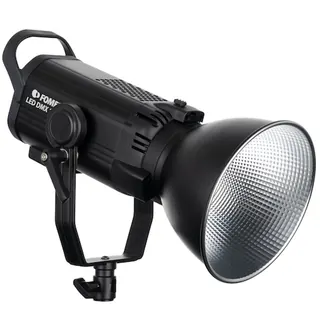
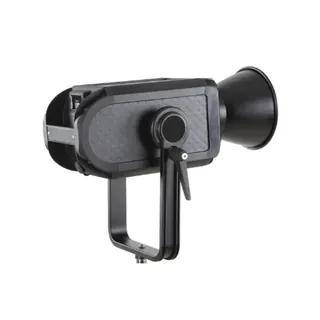
Product photos and drawing: Broncolor and FOMEI, from the manufacturer documentation reproduced in PhotoRobot manuals.