
Cameras · Overview
Professional Cameras for PhotoRobot
PhotoRobot Controls drives the camera over USB: it sets the exposure time, aperture and ISO, shows live view and fires each shot in sync with the machine. We recommend Canon mirrorless cameras and deliver them as ready-to-run camera and lens kits.
Always contact PhotoRobot before you buy a camera: we prepare a shutter cable with the connector for your model. Contact PhotoRobot.
Why Canon Mirrorless Cameras
PhotoRobot recommends mirrorless cameras for frictionless operation. They keep the main advantages of SLR cameras, interchangeable lenses and a large sensor, in a smaller and lighter body. We follow mirrorless cameras from Nikon, Sony and others, but because of the available software drivers we recommend Canon cameras for PhotoRobot Controls.
- Non-stop spin: PhotoRobot follows the turntable about 1,000 times per second and fires the camera just before the right angle, which can make production up to 4 times faster than start-stop capture. The camera needs a high shooting speed for this.
- Interface: USB 3.0 or faster, otherwise the machine waits for images to download. A standard cable covers up to 5 meters; up to 15 meters has worked in a special configuration with an active USB 3.0 extension.
- No Wi-Fi for sequence shooting: a wireless connection is too slow and unstable for continuous capture.
- Resolution: at least 18 MPx, ideally 24 to 50 MPx, on a full-frame sensor (36 x 24 mm).
Recommended Camera Kits
Choose a camera for your output quality, speed and budget, then a lens for the way you work. We deliver the camera and lens as one PhotoRobot-ready kit.
Step 1: Choose a Camera
-
High-End
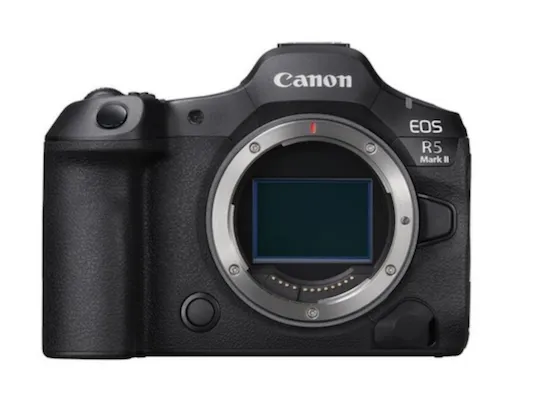
Canon EOS R5 Mark II
- Full frame, 45 MPx (36 x 24 mm)
- Lens mount RF
- Burst 12 fps mechanical / 30 fps electronic shutter
- USB 3.2 (USB-C), Wi-Fi, Bluetooth
-
Mid-Range
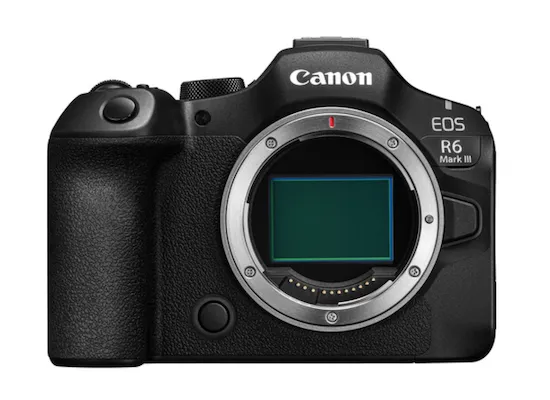
Canon EOS R6 Mark III
- Full frame, 32.5 MPx (36 x 24 mm)
- Lens mount RF
- Burst 12 fps mechanical / 40 fps electronic shutter
- USB 3.2 (USB-C), Wi-Fi, Bluetooth
-
Mid-Range
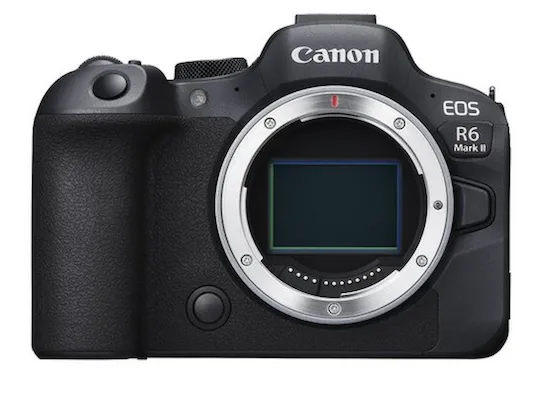
Canon EOS R6 Mark II
- Full frame, 24.2 MPx (36 x 24 mm)
- Lens mount RF
- Burst 12 fps mechanical / 40 fps electronic shutter
- USB 3.2 (USB-C), Wi-Fi, Bluetooth
-
Economy Option
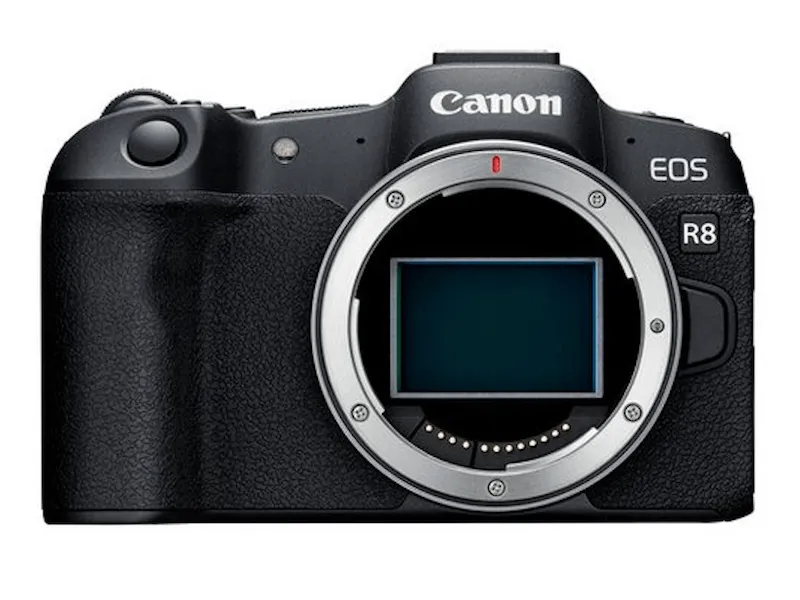
Canon EOS R8
- Full frame, 24.2 MPx (36 x 24 mm)
- Lens mount RF
- Burst 12 fps mechanical / 40 fps electronic shutter
- USB 3.2 (USB-C), Wi-Fi, Bluetooth
Step 2: Choose a Lens
-
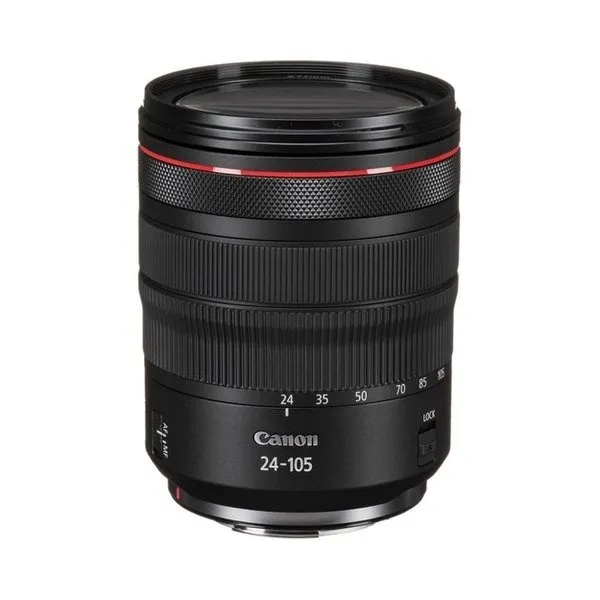
Zoom Lens
Canon RF 24-105mm f/4 L IS USM
- f/4 - f/22
- Angle of view 84° to 23° 20'
- 77 mm filter
-
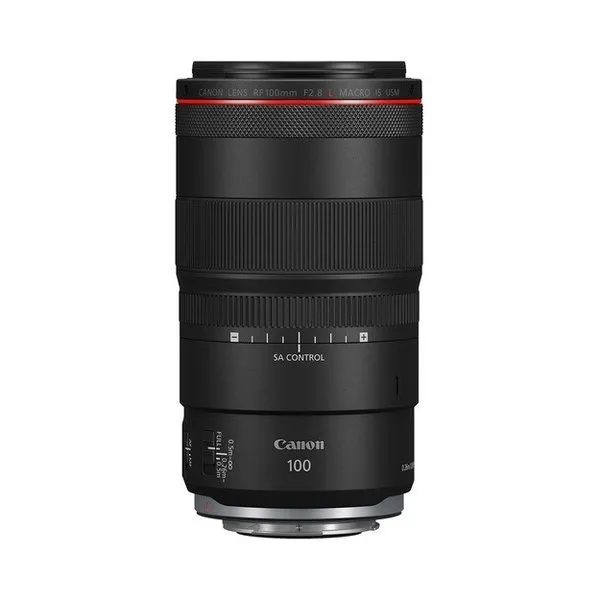
Macro Lens
Canon RF 100mm f/2.8 L Macro IS USM
- f/2.8 - f/32
- Angle of view 24°
- 67 mm filter
-
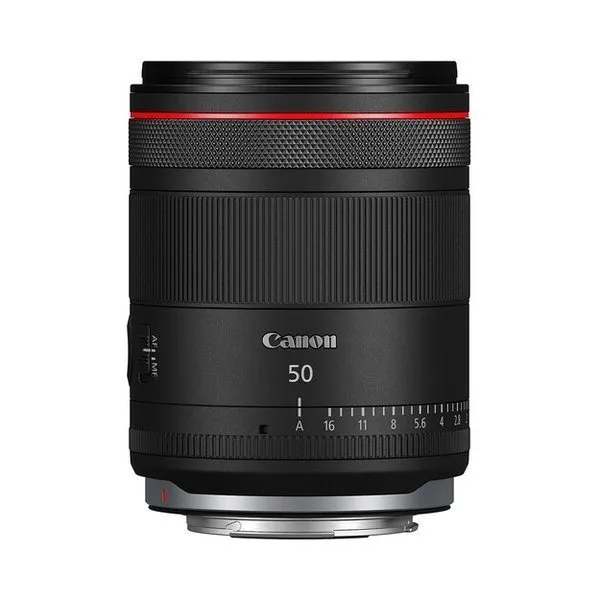
Prime Lens
Canon RF 50mm f/1.4 L VCM
- f/1.4 - f/16
- Angle of view 46°
- 67 mm filter
- Any combination of the recommended cameras and lenses is possible, and the lens can be changed later.
- A prime lens gives the same perspective on every camera of a multi-camera setup and sharper, cleaner rendering than a zoom lens.
- The Mount Adapter EF-EOS R lets you use existing Canon EF lenses on EOS R cameras.
What Every Kit Includes
- Camera and lens
- Flash trigger
- Camera-to-control unit connection
- Camera power supply (AC adapter)
- Camera power supply (external battery block for off-grid power)
- Active USB cable for camera-to-computer connectivity
- Polarizing filter
- Transport packaging
- Installation and initial training (remote or on-site)
Everything in the kit is tested and aligned with PhotoRobot lighting, automation and post-processing. Some kits also include the Power Zoom Adapter or a battery grip.
Compatible Canon Cameras
Beyond the recommended kits, PhotoRobot Controls works with 40 Canon models in 6 series. Compatible Cameras lists each model with its test status and known issues. Cameras outside the recommended list may have limits, for example in non-stop rotation, so the specific model needs testing.


How Much Resolution You Need
More megapixels do not always mean visibly better images. In a PhotoRobot test, a 360 spin from the 24 MPx Canon R8 and from the 50.6 MPx Canon 5DSR looked almost the same; the difference showed only at full zoom on a phone.
A full-frame sensor captures a wider field of view, handles noise better and has a greater dynamic range. An APS-C sensor crops the image, needs a higher f-number and stronger lights, so it is rarely useful in product photography.
Extremely fine details, such as a scratch on a large product, need close-up shots rather than more megapixels. In the viewer they become hotspot zooms.
Lenses and Power Zoom
Canon Power Zoom Adapter PZ-E2
The Canon Power Zoom Adapter PZ-E2 attaches to the lens and drives the zoom with a built-in DC motor, so the focal length is set electronically and stays where you set it, with no need to tape the lens.
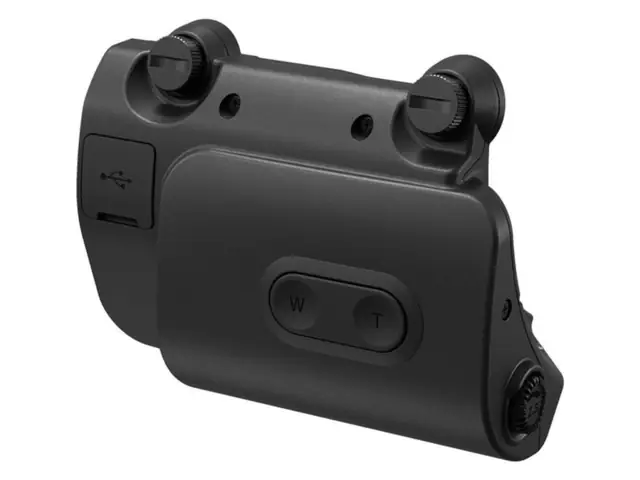
Front: W and T zoom buttons and the zoom speed dial 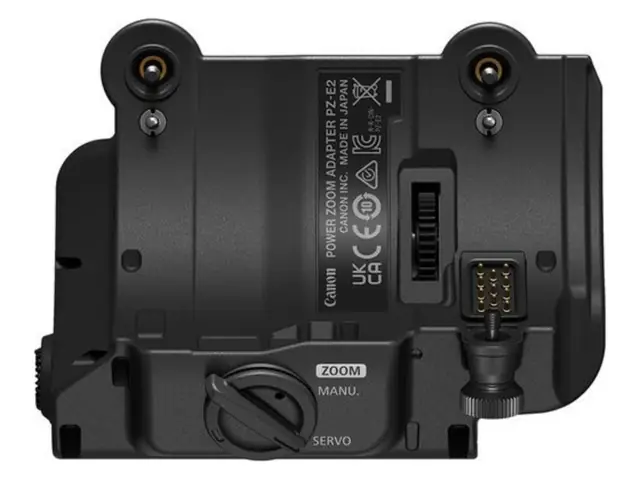
Rear: zoom drive gear and the ZOOM switch (MANU. / SERVO)


Compatible lenses: Canon lists two compatible lenses: the RF 24-105mm F2.8 L IS USM Z and the RF 70-200mm F2.8 L IS USM Z. The RF 24-105mm (f/4.0 L IS USM) is not on that list, so a kit with power zoom uses the RF 24-105mm (f/2.8 L IS USM Z).
- Power
- From the camera through the lens contacts, no batteries. Optional power through the USB-C port (Canon PD-E1 adapter, sold separately).
- Controls on the adapter
- W and T zoom buttons, a stepless zoom speed dial, and a ZOOM switch with MANU. (manual) and SERVO (motor) positions.
- Zoom speed setting
- 3 to 90 s in Normal mode; 1.5 to 90 s in High-speed mode with select EOS cameras (external USB-C power may be needed).
- Remote operation
- Camera Connect app, EOS Utility, Browser Remote or XC protocol with compatible cameras. Camera buttons can be assigned to zoom (a camera firmware update may be required).
- Size and weight
- Approx. 105 x 81 x 60 mm, approx. 155 g (adapter only).
Control of the adapter from PhotoRobot software is not described on this page yet. If you plan a kit with power zoom, contact us to discuss your setup. Contact PhotoRobot
Specifications: Canon. Source: Canon Power Zoom Adapter PZ-E2 specifications
Several Cameras at Once
MultiCam
The MultiCam arch has 13 camera positions 7.5° apart, so up to 7 cameras can be mounted at once. Together with a PhotoRobot turntable it captures 144+ images in about 20 seconds, for multi-row 360 spins and photos for 3D models. It comes in two sizes, PRO and PRO XL.
SynchroBox
The SynchroBox fires each camera with its own advance, so all of them capture the right angle despite different shutter lags. One unit connects up to 8 cameras and several units can be linked. It is needed whenever a PhotoRobot system works with more than one camera.
Keep the Whole Product Sharp
In a 360 spin the whole product has to stay in focus at every angle. These free tools help you choose the focal length, aperture and distance before you shoot.
- Near and far limits of sharpness, total depth of field and the hyperfocal distance.Depth of Field Calculator
- Checks that the whole product stays sharp during a 360 spin.Sharp Zone Planner
- Total depth of field for common subject distances and apertures.Depth of Field Chart
Handheld Shots with an iPhone
For handheld and detail photography, PhotoRobot Touch turns a supported iPhone into a wireless camera connected to PhotoRobot Controls. It works with continuous lighting only, not with strobes.
Camera Manuals
- Recommended Cameras
- Compatible Cameras
- Camera Resolution
- Camera Configuration
- SynchroBox Setup
- System Requirements
Need help choosing a camera and lens? Contact PhotoRobot for a recommendation for your workflow and budget.
Product photos of cameras, lenses and the Power Zoom Adapter: Canon.