
FOMEI LED DMX 600B Studio Light - PhotoRobot User Guide
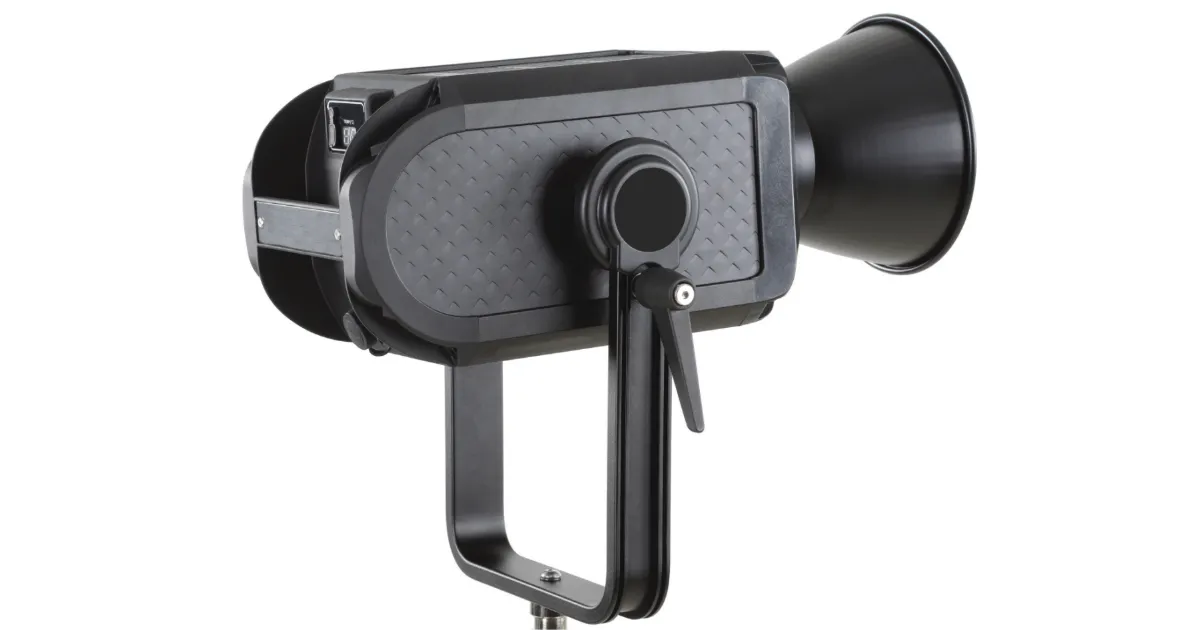
The FOMEI LED DMX 600B - PhotoRobot User Guide aims to support PhotoRobot customers in the operation of their light with PhotoRobot. This information includes instructions for operation of the FOMEI LED DMX 600B studio light, and steps for the initial setup of their device.
Note: This user manual is a reproduction of official documentation by the manufacturer for the FOMEI LED DMX 600B. Refer to the manufacturer’s website fomei.com for the official documentation on your specific product. Additionally, be sure to read any documentation provided specifically with your device before its first use.
Important: Ensure that the product is intact and that there are no missing parts before use. Do not open or repair the unit yourself. If there is any defect, please contact FOMEI directly. For warranty and maintenance information of FOMEI products, refer to the documentation provided specifically for your device.
Warnings Before Use
Note the following warnings before use:
- Ensure that the product is intact and that there are no missing parts.
- In case of damage, contact a professional service representative of FOMEI.
- When using the product, ensure the environment is dry and ventilated.
- For optimal performance, regularly clean the product using a clean cloth.
- Do not scratch or apply pressure to the product.
Safety Warnings
Ensure to follow the safety warnings:
- Do not use your LED unit in an environment where moisture is likely to come in contact with the unit.
- Do not disassemble the product. In case of damage, contact a FOMEI service representative, or contractual service of trained professionals.
- If the product is disassembled, it will not be covered under warranty.
- Do not use the product in extreme temperatures (+50° C)
- The product is not suitable for children.
- Do not plug / unplug the device when the power is still connected.
- Do not burden light more than necessary.
- Do not restrict air vents while in use.
- Note that a fire hazard exists if flammable materials are placed in close proximity when the unit is in use.
- Avoid placing cables where they can be hazardous.
- Keep out of reach of children.
Recycling and Information Labels
This product contains electronic parts. Do not dispose of the product with general waste, and instead take it to an electronic recycling facility. Please, protect our planet.
The information label with the cross-out bin means that within the European Union, the product:
- Must be collected separately in accordance with applicable electronic waste regulations at its end-of-life.
- This applies to the device and to all accessories marked with this symbol.
- Do not dispose of these products as unsorted municipal waste.

PhotoRobot - FOMEI LED DMX 600B User Guide
The contents of this user guide to the FOMEI LED DMX 600B consists of the following sections, in order.
- About: FOMEI LED DMX 600B
- Controls
- Light Control
- Technical Information
1. About: FOMEI LED DMX 600B Studio Light
The FOMEI LED DMX 600B is a professional studio light with a maximum output of 600W / 5600K, suitable for professional studio use for video and photography. The power of the device runs directly from the grid, and there is input and output for both wired and wireless DMX protocol. This allows the light to be suitable even in large productions. The light has controls either via the integrated display with intuitive scroll wheel, or via the mobile app.
The package of the LED DMX 600B contains the following main components.
- Light
- Control Unit
- Reflector
- Power cord
- Transport case
2. Controls
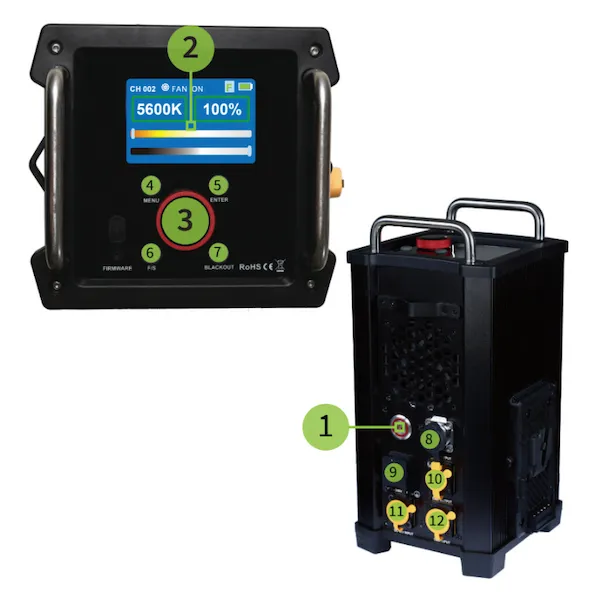
- ON / OFF Button
- Display
- Control Roller
- MENU Button
- ENTER Button
- Scroll Speed
- BLACKOUT Button
- DC Output
- AC Input
- DMX Output
- DC Input
- DMX Input
3. Light Control
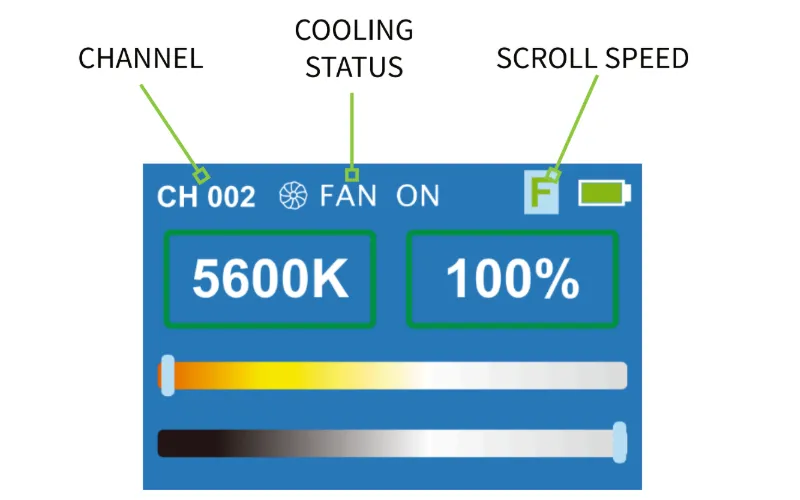
The FOMEI LED DMX 600B provides light control via the display. After turning on the light, the first menu appears. At the same time, the top bar of the display will show the current Channel (left), Cooling Status (middle), and Control Speed (right).
Main Menu
When the light is switched ON, the main menu enables the adjustment of the light intensity. Use the scroll roller to adjust the light intensity from 0-100%. To allow for faster or more precise control, use the Scroll Speed button to adjust scroll speed. The roller scroll speed is indicated in the top bar of the display (F: by 10 points, S: by 1 point).
Lighting Effects
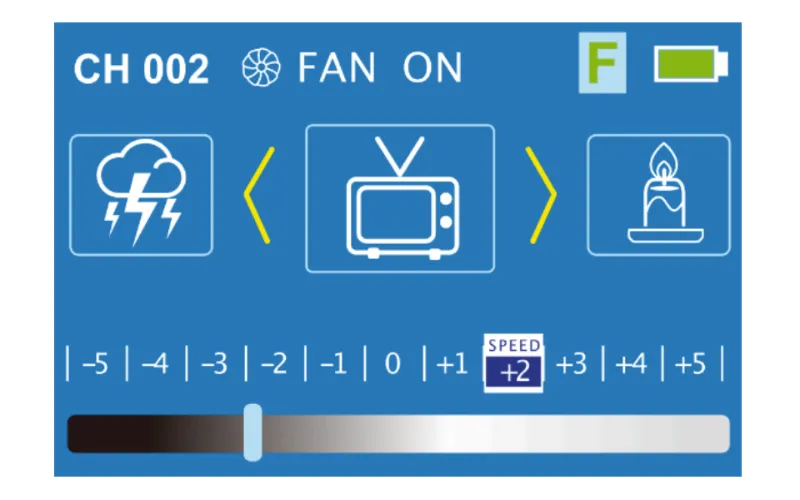
From the main menu, press the MENU button to change to the menu for the lighting effects. To adjust the lighting effects, rotate the knob to select a specific lighting effect, and use the ENTER button to select the effect and change its speed. Press ENTER again to adjust the intensity of the desired effect.
BT Connection Reset
Access the Bluetooth settings by pressing the MENU button to change to the menu with “Bluetooth ID” at the top. Next, press ENTER on the question mark (“?”), and rotate the knob to select “YES”. Afterwards, the display field changes to “Start?” to signal that the Bluetooth connection has been reset.
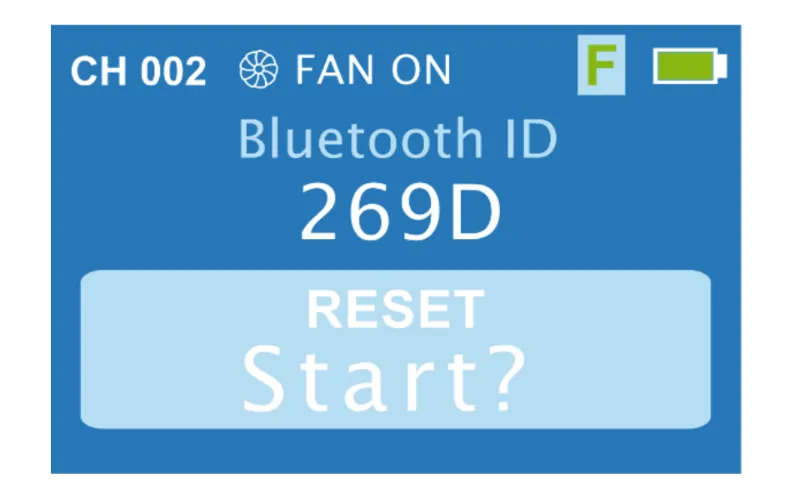
Channel Menu
Use the MENU button to change to the menu to change the DMX channel, and rotate the control roller to change the DMX channel from 1 - 512.
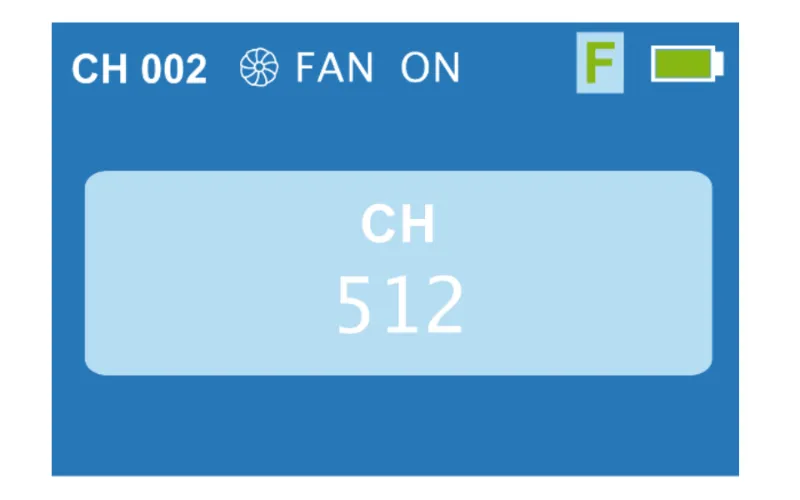
Cooling Menu
The cooling menu allows for control over the cooling of the light by rotating the control roller to ON or OFF. Note: After switching off active cooling, it is recommended to check the temperature of the light. To check the light temperature, inspect the display located on the body of the light itself.
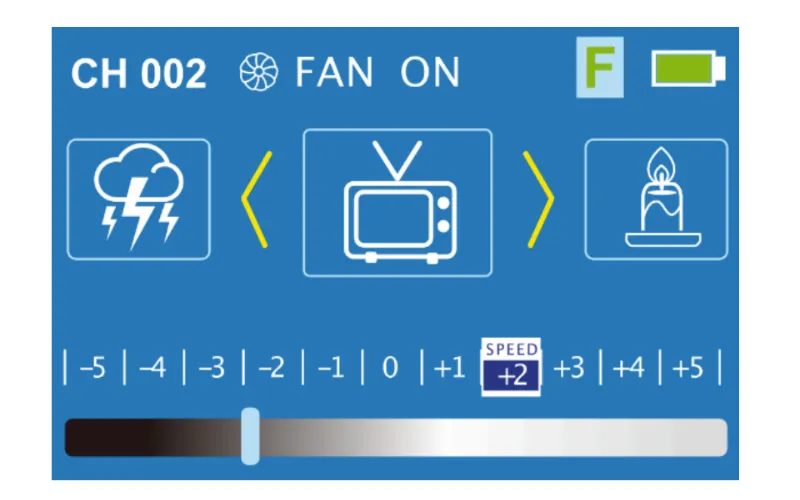
Wireless DMX Menu
The menu for the wireless DMX mode contains 7 groups (Red, Green, Yellow, Blue, Purple, Cyan, White). Each group then contains 512 channels. Set the DMX transmitter to the same parameters as the light. Then, after approximately 2 minutes, the connection will be complete.
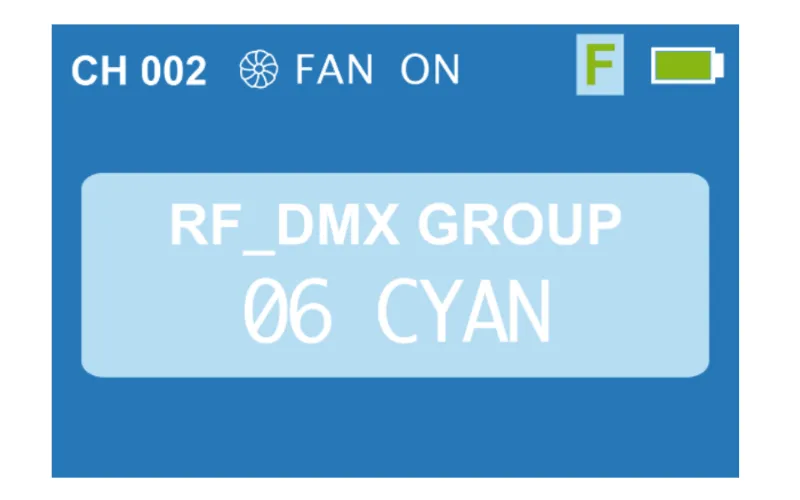
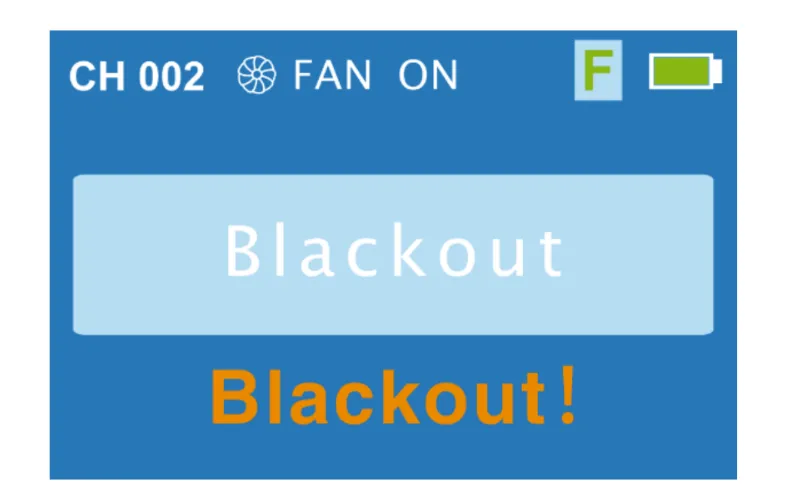
BLACKOUT Function
Use the BLACKOUT button to switch OFF all active light functions. Press BLACKOUT one more time to restore functions.
Control Via App
After resetting the Bluetooth signal on the FOMEI LED DMX 600B, connect to the device on mobile over Bluetooth using the Desal Lite+ App downloaded on your phone. In the app, press the plus (“+”) symbol in the top-right corner, and press “Add device” to search for lights. When one is found, press the plus symbol again to add the light. It is now possible to use the app for control over the intensity of the light, the light scene, and for syncing the light to music.
Desal Lite+ App Download
The Desal Lite+ App for control of the FOMEI LED DMX 600B is available for download on iOS and Android. Find the APK download for Android on fomei.com or use the QR code below for quick download on Android or iOS.

4. Technical Information
The technical specifications of the FOMEI LED DMX 600B studio light are shown in the following Technical Information table and DMX chart.
FOMEI Company Information and Contact
The company FOMEI s.r.o. is registered at the address: Machkova 587, Hradec Kralove 500 11, Czech Republic.
E-mail to sls@fomei.com for general inquiries, or to servis@fomei.com for service requests.
Telephone: +420 495 056 505
Final Notes
This is a reproduction of the official FOMEI LED DMX 600B user manual, which is also available in a downloadable PDF version on fomei.com. For service information, refer to the documentation provided specifically with your device, or to the FOMEI service department for immediate support.